
Zoom
Use CLEAR within Zoom
Overview
CLEAR+ Zoom ensures each attendee verifies with CLEAR before the attendee joins a Zoom meeting.
Zoom lets an account admin add an authentication configuration. The configuration sends attendees to an external SSO provider when they join. CLEAR is that provider.
The Problem
A host starts an interview or an external meeting. The host must know one thing: is this person the correct person?
Today the host has only three signals. These signals are the display name, the camera, and the voice. The attendee types the display name. Any person who has the join link can enter the meeting. A passcode does not help, because the attendee can send the passcode to a different person.
How This Use Case Solves It
Zoom sends each attendee to CLEAR before the attendee can enter the meeting. The attendee verifies with CLEAR. Then CLEAR returns the person to Zoom where they can join the meeting.
Prerequisites
- Zoom Business account, as a minimum.
- Admin privileges to configure this feature.
Use Cases
- Interviews — Verify that the candidate on camera is the real applicant. A proxy candidate or a deepfake cannot pass the check.
- External meetings — Verify each guest from outside your company. Only the invited persons can enter.
How To Use
Complete these steps in the Zoom web portal:
- Go to Account Management.
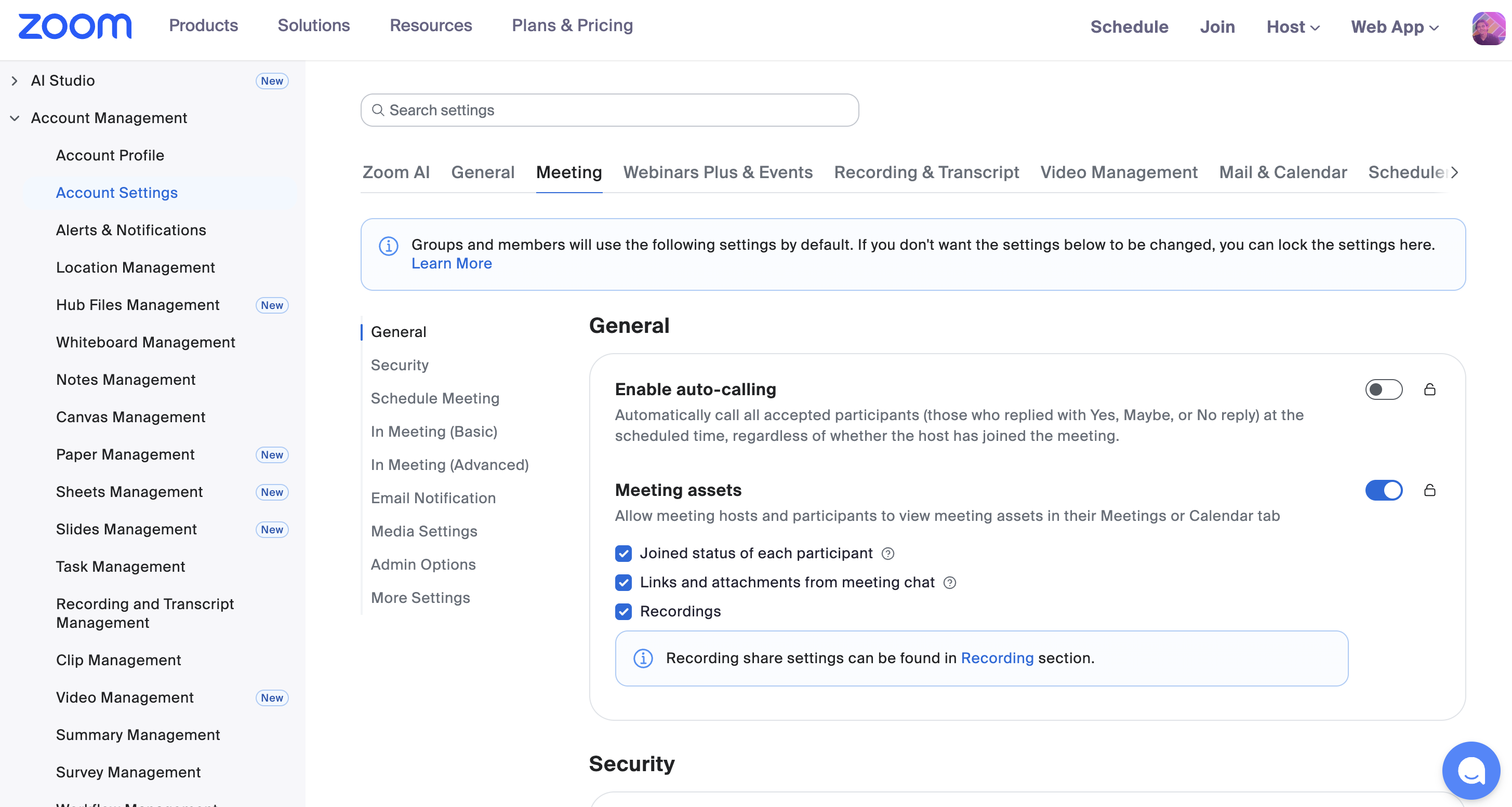
- Select Account Settings.
- Select the Meeting tab.
- Scroll to Security.
- Select Add Authentication Configuration.
- For Select an authentication method, select Sign in to external Single Sign-On (SSO).
- Select Set as default authentication option. Then Zoom uses this configuration for all new meetings.
Reminder: You need a Zoom Business account, as a minimum. You also need admin privileges to configure this feature.
Then follow the rest of the CLEAR1 guide for the input values in the authentication configuration.
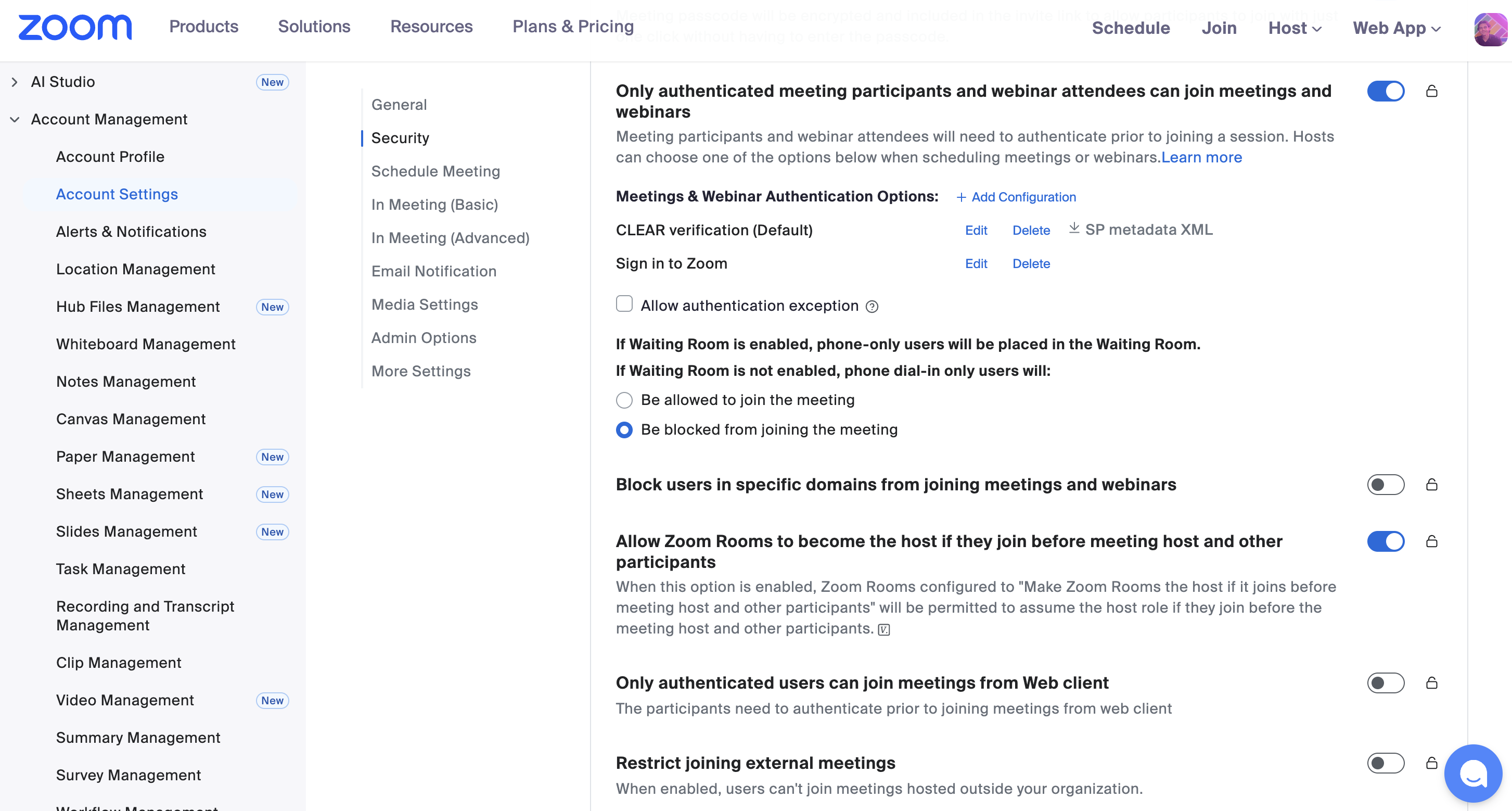
For the configuration guide, contact your dedicated CLEAR point of contact who will provide remaining relevant credentials
Resources
- CLEAR1 Configuration guide — Contact your dedicated CLEAR point of contact.
- Zoom Support: Meeting Authentication Options
- Zoom Support: Account security settings
Updated about 2 hours ago