
Getting Started
CLEAR provides flexible integration options that represent different levels of customizability and integration effort.
Where To Begin
Below are the steps needed to successfully deploy CLEAR. Each step has an associated page in our documentation to walk through the exact items required per step.
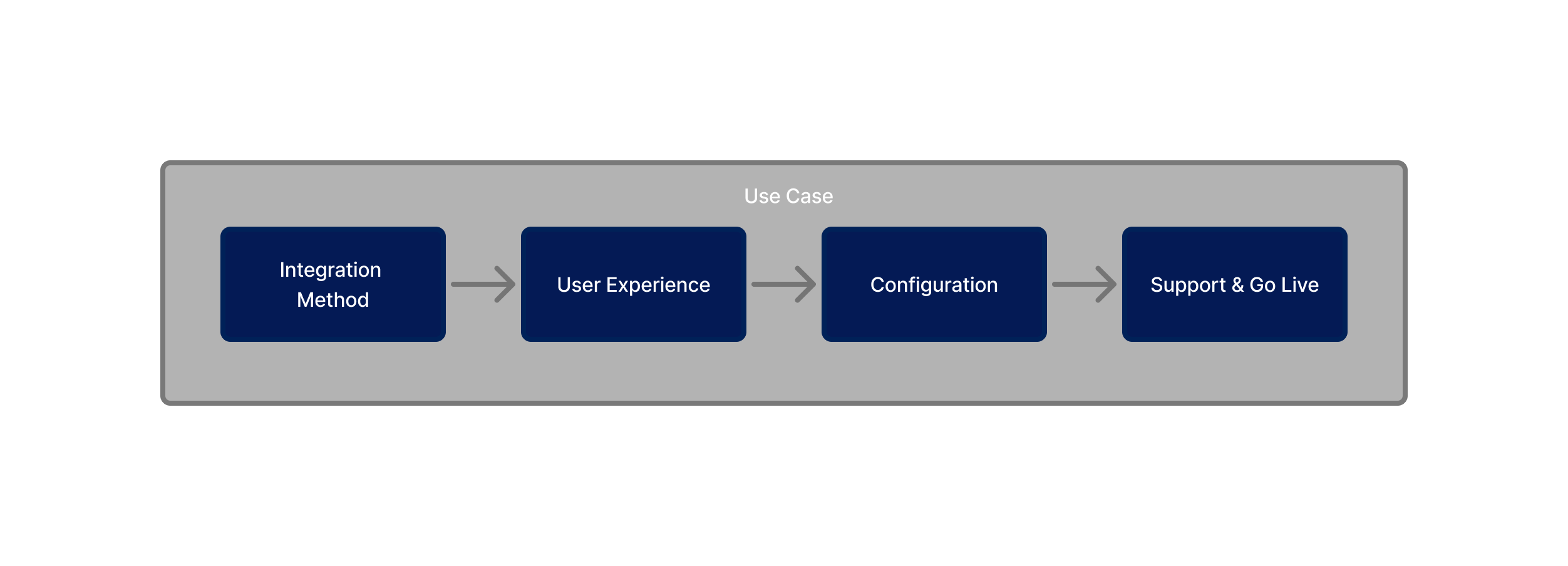
Define a use case
Please begin by reviewing our suite of common use cases where our partners can slot in a verification to power a workflow or replace an existing process.
After selecting a use case the following 4 steps will be critical in deploying CLEAR
Step 1: Integration
A. Select Integration Method
Integrate CLEAR through 2 API calls
Industry accepted authentication and authorization protocals
instantly enable CLEAR within your workflow
B. Matching & Creating User
C. Data Storage
Step 2: User Experience
Define Platform
Define the device type a user with verify on and that your application will run on
- Mobile Web App
- Mobile App
- iOS
- Android
- Kiosk/Desktop
- No Code
User Journeys
Landing Page
What does a user see before beginning a CLEAR verificaiton. What context are they given as to why they need to verify their identity and who is recieveing their information
Redirect vs. Terminal State
After a user completes the CLEAR verification are they redirected back or should the experience end there?
Success Path
After a user completes the CLEAR verification and is succuesful what happens.
Failure Path
What happens when someone fails? Do they retry through CLEAR or are they mitigated through an alternate path?
Step 3: Configuration
Configure your project within CLEAR and define the following:
Define sources that information is corroborated against when a user completes a step within the end user experience (scans face, upload document, adds phone number). Ultimately, what authortative sources will you corrobated the user's collected info against to ensure the user passes the level of verification required for your use case
Step 4: Support & Go Live
The final step is preparing your organization to launch CLEAR in production and ensuring long-term success. This stage focuses less on development and more on change management and support:
- Go live planning — coordinate timelines, environments, and rollout strategy.
- User experience review — confirm the flow is intuitive and aligned with your brand.
- Operational readiness — define roles, permissions, and escalation paths for support teams.
- Ongoing support — establish how you’ll monitor verifications, navigate the Verification Table, and manage Single Sign-On or UI updates over time.
By the end of Step 4, your teams and users will be fully prepared to use CLEAR with confidence in a live environment.
- Define Use Case
- Step 1: Integration
- Step 2: User Experience
- Step 3: Configuration
- Step 4: Support & Go Live
What steps make up a CLEAR implementation?
Updated 3 months ago